Q builds your courses, narrates them in your workers' languages, answers questions on the job with citations, reviews form submissions the moment they land, reads uploaded certificates, and keeps your regulatory rules current. The cyan Q marks every place it works.
Every learner question that today gets answered by a supervisor's memory or a binder in the break room should get a good answer in seconds, from anywhere, sourced from your organization's own content — with attribution.
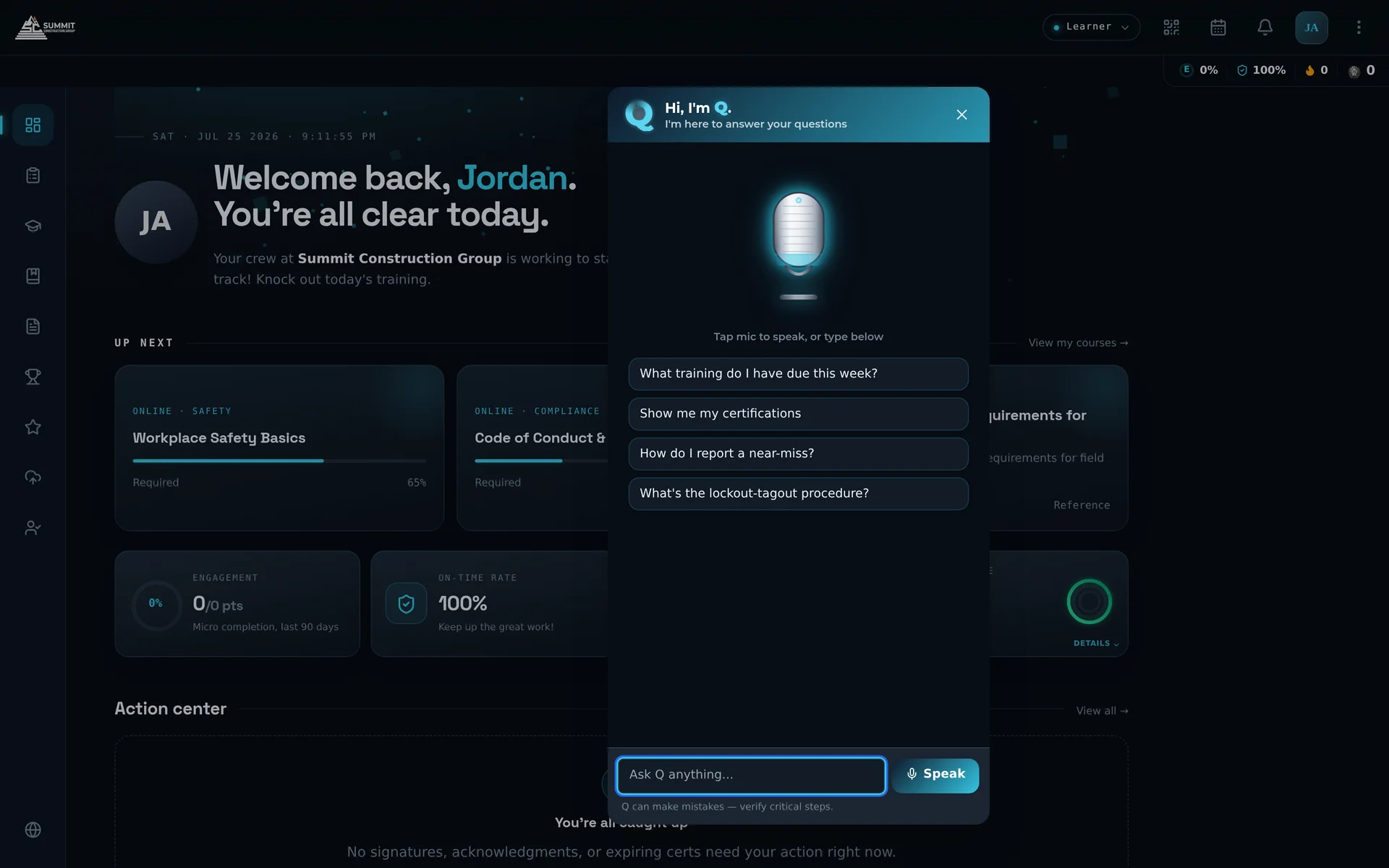
Don't take our word for it — ask.
Answers come from your approved courses and Knowledge Center documents — chunked, embedded, and retrieved per tenant. Every answer cites the source; click it to open the document. When Q isn't confident, it says "I'm not sure — ask your supervisor" instead of guessing.
The Q orb sits bottom-center on every screen, desktop and mobile — one learned spot. Voice input for gloves-on moments. Streaming answers start in well under a second and finish in a few.
Ask Q to send a Ping — "Ask Chris if he can make the June 24th session" — and Q looks up the person, confirms with you, and sends it under your name. Admins ask Q for reports in plain English.
Build with Q doesn't generate an outline for a human to flesh out — it generates a complete course in one pass: slides, rich text, AI-generated images, knowledge checks, matching, hotspots, flashcards, sequencing. Fully editable, ready to publish or refine.
Describe the course — optionally citing your own source documents — and review a finished draft. Authoring compresses from weeks to minutes, human-reviewed before publish.
Per-slide, human-quality narration in multiple languages and voices — with on-screen text and every interactive element translated to match. Multi-site, multi-language crews get the same course, natively.
Type a topic and get a vertical, narrated, captioned training micro-video with a comprehension quiz — script, B-roll, voiceover, and branded assembly handled by Q. Six languages. Always a reviewable draft, never auto-published.
Watch a course build itself — click "Build with Q."
A learner photographs an external certificate. Q validates it's really a certificate, extracts the name, issuer, and dates, matches it to the learner's open requirements — auto-approving high-confidence, low-risk credentials and routing the rest to human review in the Action Center.
A thousand daily attestations, every one screened within seconds against criteria you write in plain language: verdict, 1–10 quality score, flagged issues, notify rules. Humans review exceptions, not everything.
Enter a license type and state; Q reads the official licensing-board site and returns structured requirements — CE hours, renewal cycles, mandatory topics — in 10–20 seconds. Rules refresh weekly, and one scan serves every matching person on the platform.
Q drafts a complete role-based training blueprint for every distinct job title — built from US Department of Labor O*NET data, regulatory standards, and your own library — with plain-English scheduling rules and automatic day-one assignment for new hires.
Q researches your company from the web at signup, resolves job titles in context ("Service Tech · Mining · Nevada" ≠ "Service Tech · Power Systems"), and auto-tags every course, document, pulse, and person. Admins never maintain a tag tree.
Shift start, job clock-in, weather turning — work-event triggers deliver the right grounded reminder at the moment of need, with a "Read more" link to the approved source and a feedback loop that retires bad content automatically.
Every question a person asked Q, and Q's actual replies, appear in their User Insight timeline. Content gaps Q couldn't answer surface in a queue with one-click resolutions. And an AI ROI view shows the value delivered each month: questions answered, courses built, quizzes drafted, admin-hours saved.
Bring your gnarliest procedure question to the demo. We'll upload the source document, let Q index it, and you can grill it — citations and all.
Request a demo